Programming to
Budget Forecast
When your programme moves, your budget forecast should move with it. Link Procore Programming tasks to Budget lines and keep forecast dates in step with the work.
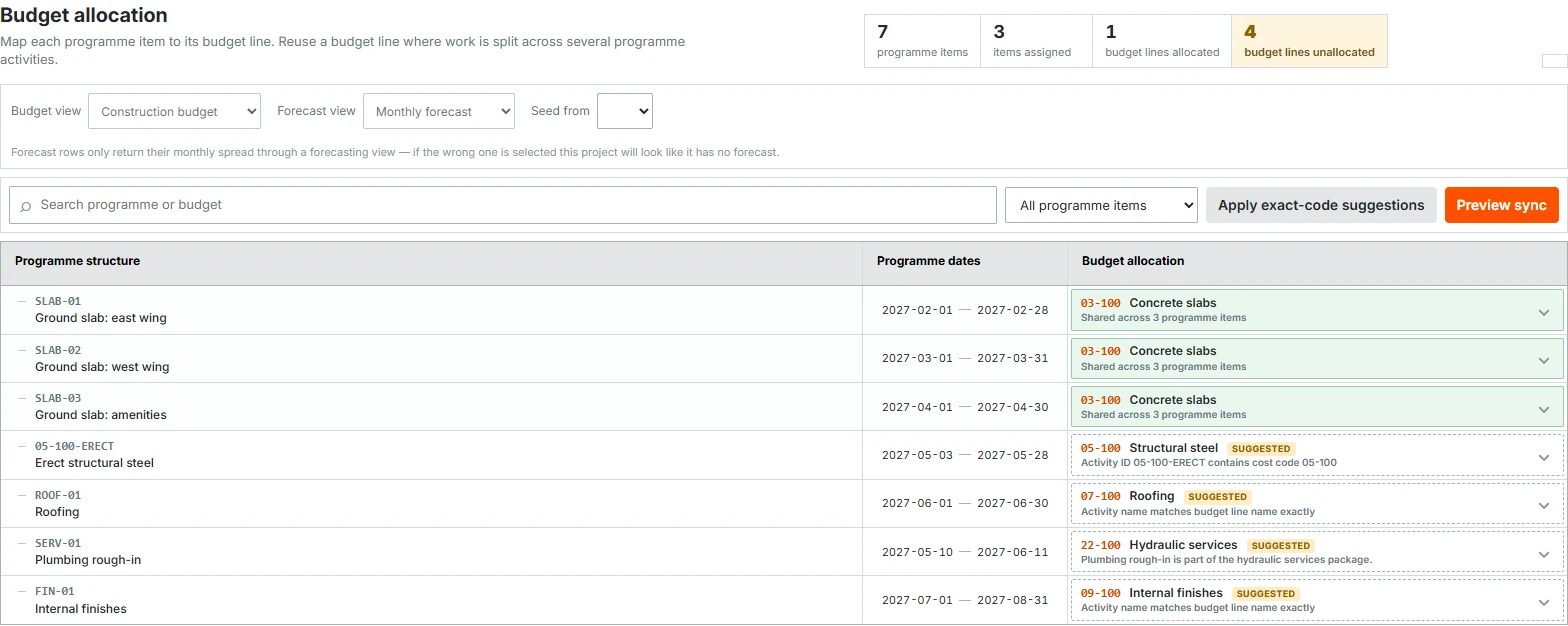
Match the work to the budget.
Start with code and name-based suggestions, with AI-assisted suggestions for items that need another look. Review the matches, then link anything else yourself.
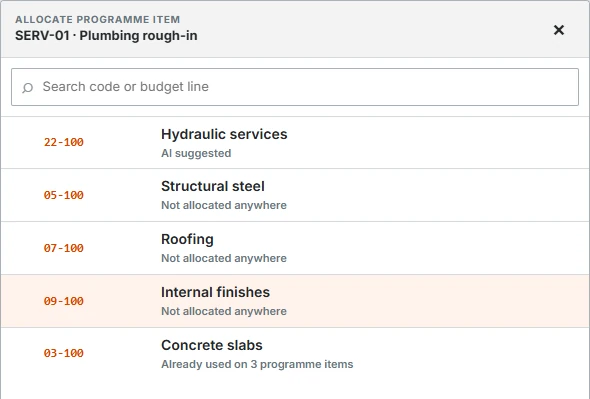
Let several tasks drive one forecast.
Link multiple programme items to one Budget line. Its forecast window covers the earliest start and latest finish across the linked work. Preview the date changes before a manual sync.
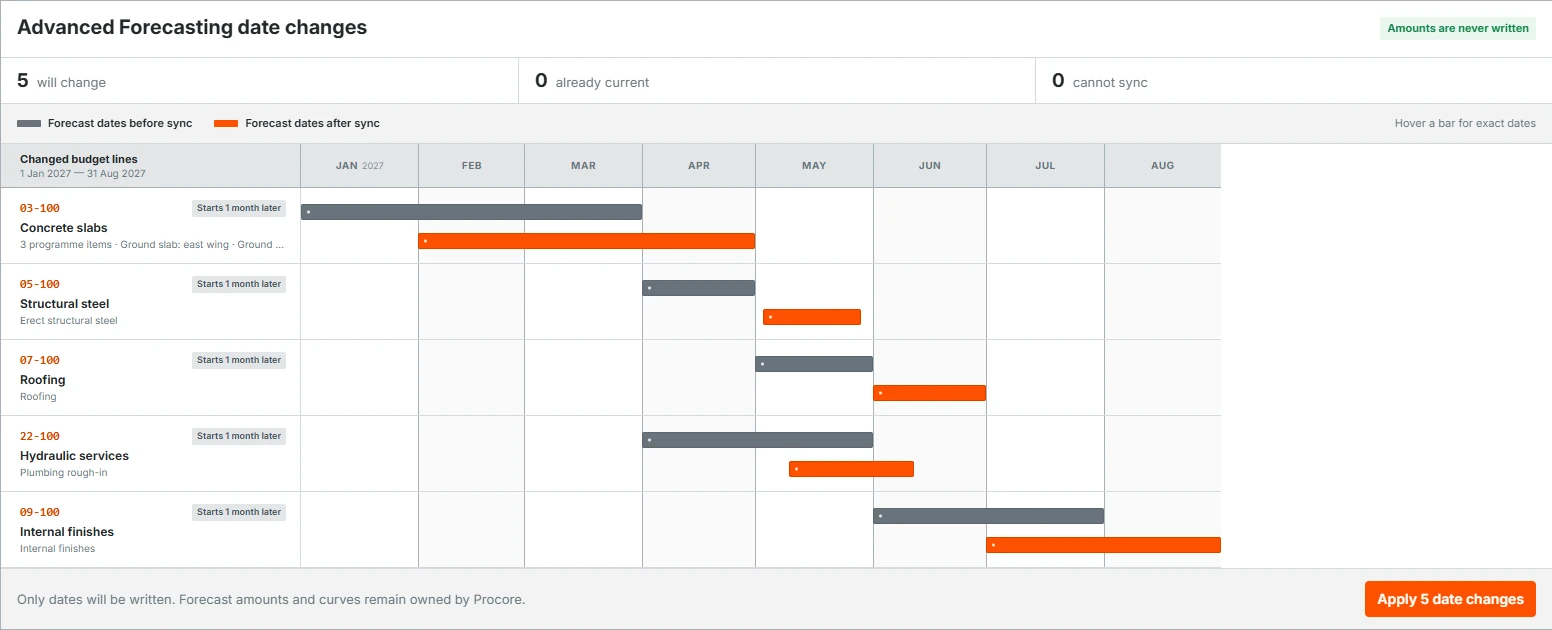
Keep the dates in step.
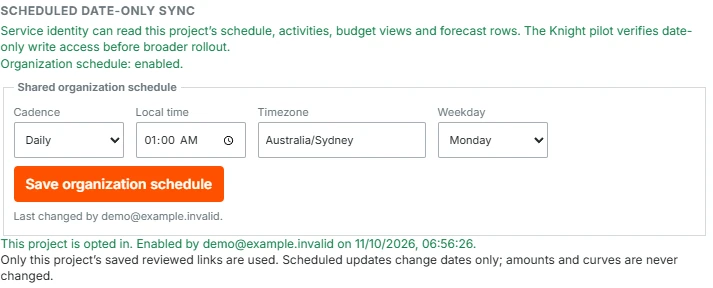
Sync manually, or schedule daily or weekly updates from your saved links. Move the work in Programming and the next sync updates its Budget Forecast dates.
The problem
Move a stage of work in your programme and you move when you expect to pay for it. Your budget forecast needs to follow. Procore doesn't provide this link between Programming and Budget Forecast, so the dates have to be maintained separately.
Programming to Budget Forecast connects the two. Pick the programme items that drive each Budget line and let those dates set its forecast window.
How it works
- Review suggested matches or link programme items to Budget lines yourself.
- Link several items to one Budget line where the work is split across activities.
- Preview the forecast dates that will change, then run a manual sync.
- Enable daily or weekly scheduled sync to keep saved links up to date.
Keep your budget values intact
The tool updates forecast start and finish dates. It doesn't change your budget amounts or WBS codes. Procore continues to calculate the spread using the row's existing supported curve.
Hand-authored monthly forecast periods aren't reshaped automatically. If a linked item disappears or can't be synced safely, the tool reports it rather than guessing.
Who it's for
Project managers, commercial managers and finance teams using Procore Programming and Advanced Forecasting who need their cost forecast to follow the work plan.
Talk to us about Programming to Budget Forecast.
Screenshots show the actual app with synthetic demonstration data.
← All products